Introduction
The souris ergo Logitech refers to a category of ergonomic computer mice designed by Logitech that focus on improving comfort, reducing wrist strain, and supporting healthier hand posture during long hours of computer use. In simple terms, it is a specially shaped mouse that is built to fit the natural position of your hand instead of forcing your wrist into an unnatural flat angle.
In today’s digital lifestyle, people spend many hours on computers for work, study, design, and entertainment. Because of this, comfort and long-term health have become just as important as speed and performance. Logitech ergonomic mice are designed to solve exactly this problem.
Meaning of Souris Ergo Logitech
The phrase comes from French and can be broken down into three parts: “souris” meaning mouse, “ergo” meaning ergonomics, and “Logitech” referring to the brand. Together, it describes a Logitech mouse designed with comfort and human hand structure in mind.
The idea is simple but powerful: instead of making the user adapt to the mouse, the mouse adapts to the user’s natural hand shape and movement.
Why Ergonomics Matters in Daily Computer Use
Using a traditional mouse for long hours may not feel harmful at first, but over time it can cause strain in the wrist, forearm, and shoulder. This happens because the hand is kept in a slightly twisted position for extended periods.
Ergonomic design aims to fix this by placing the hand in a more natural and relaxed position. Instead of lying flat, the hand is positioned more like a handshake. This reduces unnecessary twisting and helps the muscles stay relaxed during long working sessions.
This becomes especially important for people who work on computers every day for several hours without long breaks.
Vertical Ergonomic Mouse Design
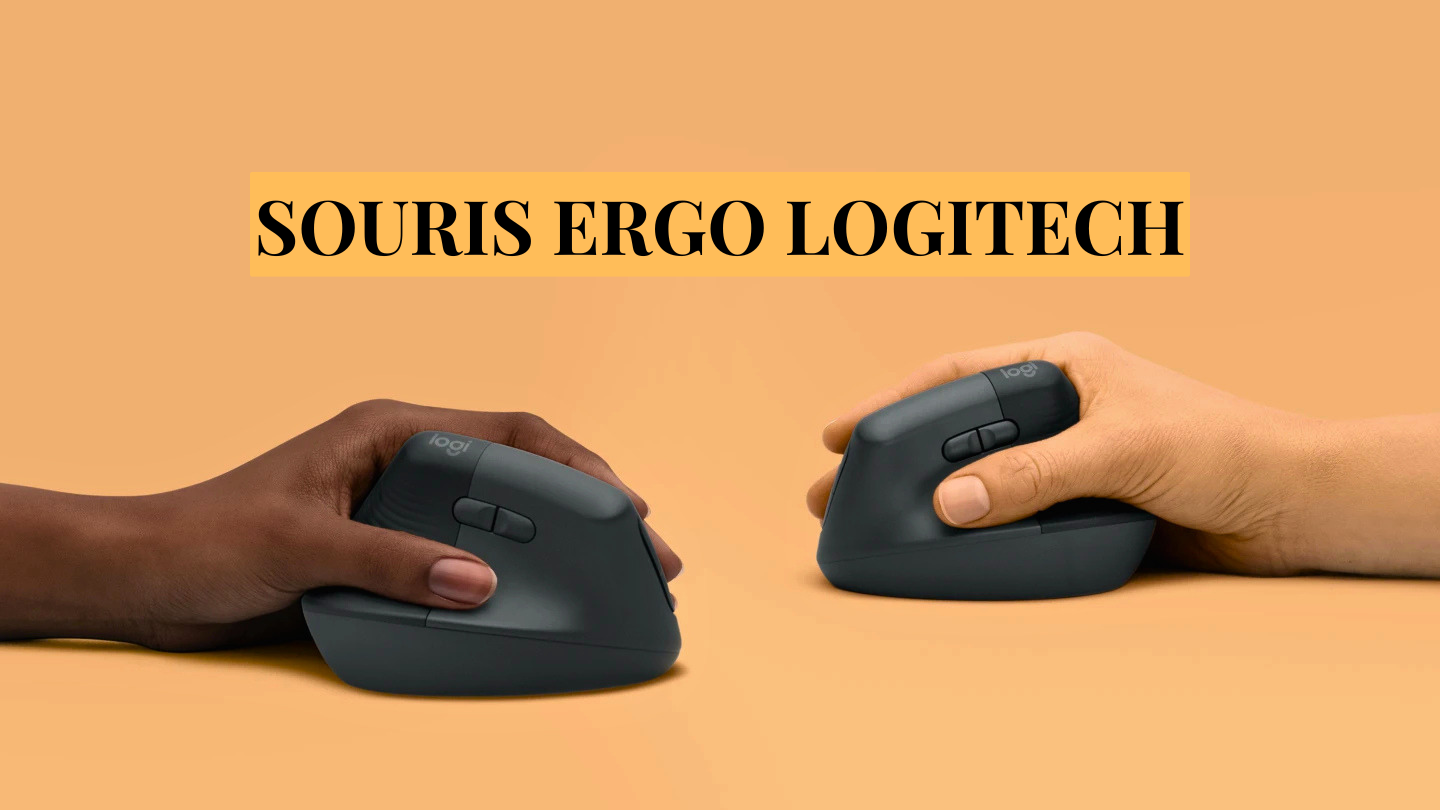
One of the most popular designs in Logitech’s ergonomic range is the vertical mouse. In this design, the mouse is rotated so that the hand rests on its side instead of being placed flat on the desk.
This creates a natural handshake position, which reduces pressure on the wrist and limits forearm twisting. Over time, this can significantly improve comfort during long computer sessions.
Popular examples include the Logitech MX Vertical and Logitech Lift, which are widely used in office and professional environments.
Souris Ergo Logitech – Quick Information Table
| Category | Details |
|---|---|
| Product Name | Souris Ergo Logitech (Logitech ergonomic mouse) |
| Brand | Logitech |
| Main Purpose | Improve comfort and reduce wrist strain during computer use |
| Design Type | Vertical mouse / Trackball mouse |
| Hand Position | Natural handshake-style or thumb-controlled movement |
| Key Benefit | Reduces wrist twisting and muscle fatigue |
| Best For | Office workers, students, designers, programmers |
| Popular Models | MX Vertical, Logitech Lift, MX ERGO |
| Connectivity | Bluetooth or USB receiver (wireless in most models) |
| Learning Curve | 2–7 days adaptation time |
| Battery Life | Weeks to months depending on usage |
| Main Advantage | Better ergonomics + long-hour comfort |
Trackball Ergonomic Mouse Design
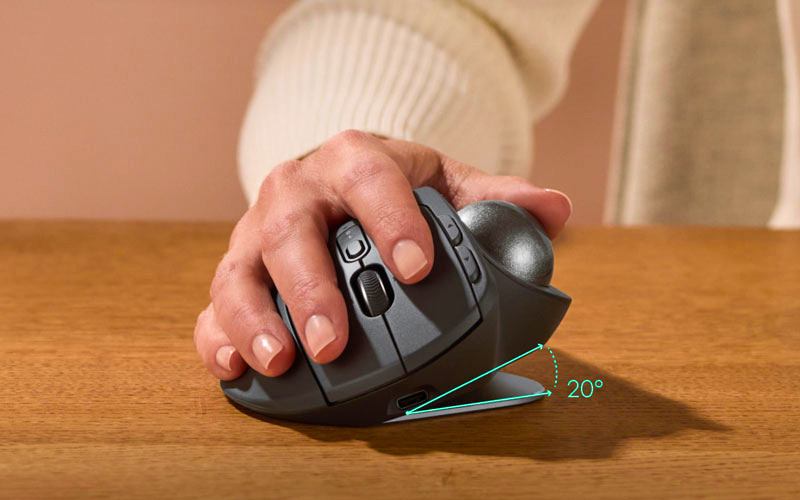
Another important type of ergonomic design is the trackball mouse, such as the Logitech MX ERGO. Instead of moving the entire mouse across a surface, the user controls the cursor using a ball operated by the thumb.
This means the hand stays almost completely still while only the thumb moves. Because of this, arm movement is reduced significantly, which helps lower strain on the wrist and forearm.
This design is especially useful for people working in small spaces or those who want maximum control with minimal movement.
Main Features of Logitech Ergonomic Mice
Logitech ergonomic mice are designed not only for comfort but also for performance. They include several features that make them suitable for both professional and everyday use.
One important feature is the natural hand-supporting shape, which follows the curve of the human palm. This reduces tension during long hours of use.
Most models also come with wireless connectivity, using either Bluetooth or a USB receiver. This provides a clean and flexible workspace without cable restrictions.
Another key feature is the high-precision sensor technology, which ensures smooth and accurate cursor movement even for detailed tasks like design or editing.
In addition, many models include customizable buttons, allowing users to set shortcuts for productivity tasks, making work faster and more efficient.
Finally, Logitech ergonomic mice are known for their long battery life, often lasting weeks or even months depending on usage.
Benefits of Using a Logitech Ergonomic Mouse
The main benefit of using a Logitech ergonomic mouse is improved comfort during long working hours. By supporting a more natural hand position, it helps reduce strain in the wrist and forearm.
Another major benefit is improved posture. Since the wrist is not forced into an unnatural position, the entire arm tends to rest more naturally, which can also reduce shoulder tension.
These devices can also improve productivity. When the hand feels comfortable, users can work for longer periods without discomfort, leading to fewer breaks caused by fatigue.
Overall, the ergonomic design helps create a smoother and healthier computing experience for daily use.
Adaptation and Learning Period
Switching from a traditional mouse to an ergonomic one is not always immediate. Most users need a short adjustment period because the movement feels different at first.
During the first few days, cursor control may feel slightly unusual, and hand movements may seem slower than usual. This is normal because the muscles are adapting to a new position and movement style.
However, after a short period of consistent use, the hand becomes familiar with the design, and the improved comfort becomes more noticeable.
Who Should Use Ergonomic Mice
Logitech ergonomic mice are suitable for a wide range of users. They are especially helpful for office workers, students, designers, programmers, and anyone who spends long hours on a computer.
They are also useful for people who already experience wrist discomfort, as well as those who want to prevent such issues in the future.
Even casual users can benefit from improved comfort during extended browsing or computer use.
About Logitech
Logitech is a well-known global company that specializes in computer accessories such as mice, keyboards, webcams, and audio devices. The company focuses strongly on user comfort, innovation, and productivity.
Their ergonomic product line is based on research into how people naturally use computers and how devices can be improved to reduce physical strain. This makes their ergonomic series one of the most important parts of their product ecosystem.
Conclusion
The souris ergo Logitech is more than just a computer mouse. It represents a shift toward healthier and more comfortable technology use. By focusing on ergonomics, Logitech has created devices that help reduce strain, support better posture, and improve long-term comfort during computer use.
Whether used for work, study, or creative tasks, ergonomic mice provide a practical solution for modern digital lifestyles. Over time, many users find that switching to an ergonomic mouse significantly improves their daily comfort and overall computing experience.
FAQs: Souris Ergo Logitech
Q: What is a souris ergo Logitech?
A: It is an ergonomic mouse from Logitech designed to reduce wrist strain and improve hand comfort.
Q: Who should use a souris ergo Logitech?
A: Anyone who uses a computer for long hours, such as students, office workers, and designers.
Q: How is a souris ergo Logitech different from a normal mouse?
A: It has a special shape that supports a natural hand position and reduces wrist twisting.
Q: Does a souris ergo Logitech help with wrist pain?
A: Yes, it can reduce strain and discomfort by improving hand posture during use.
Q: Is it hard to use a souris ergo Logitech at first?
A: Yes, it may feel different initially, but most users adapt within a few days.